Process intelligence in days, not months: Valstra Omni vs Celonis
Map your actual business workflows from whatever you already have, including the manual work between systems that event logs never record.
Celonis product details as at , compiled from Celonis’s published material, linked under Sources.
How is a process map made in a modelling tool, and how is it made in Omni?
Most process modelling starts from a blank canvas and what people remember. Omni starts from the material you already have.
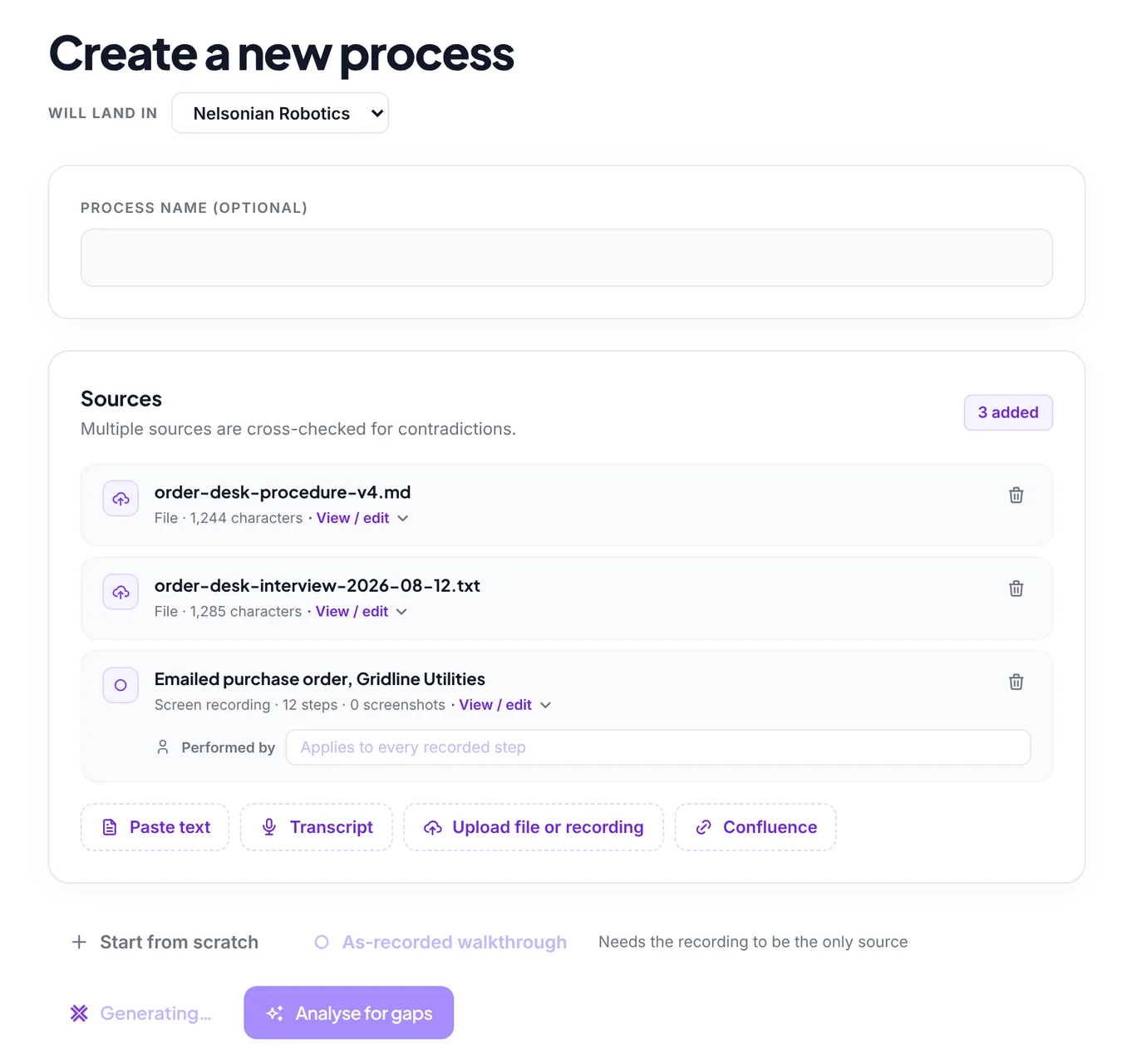
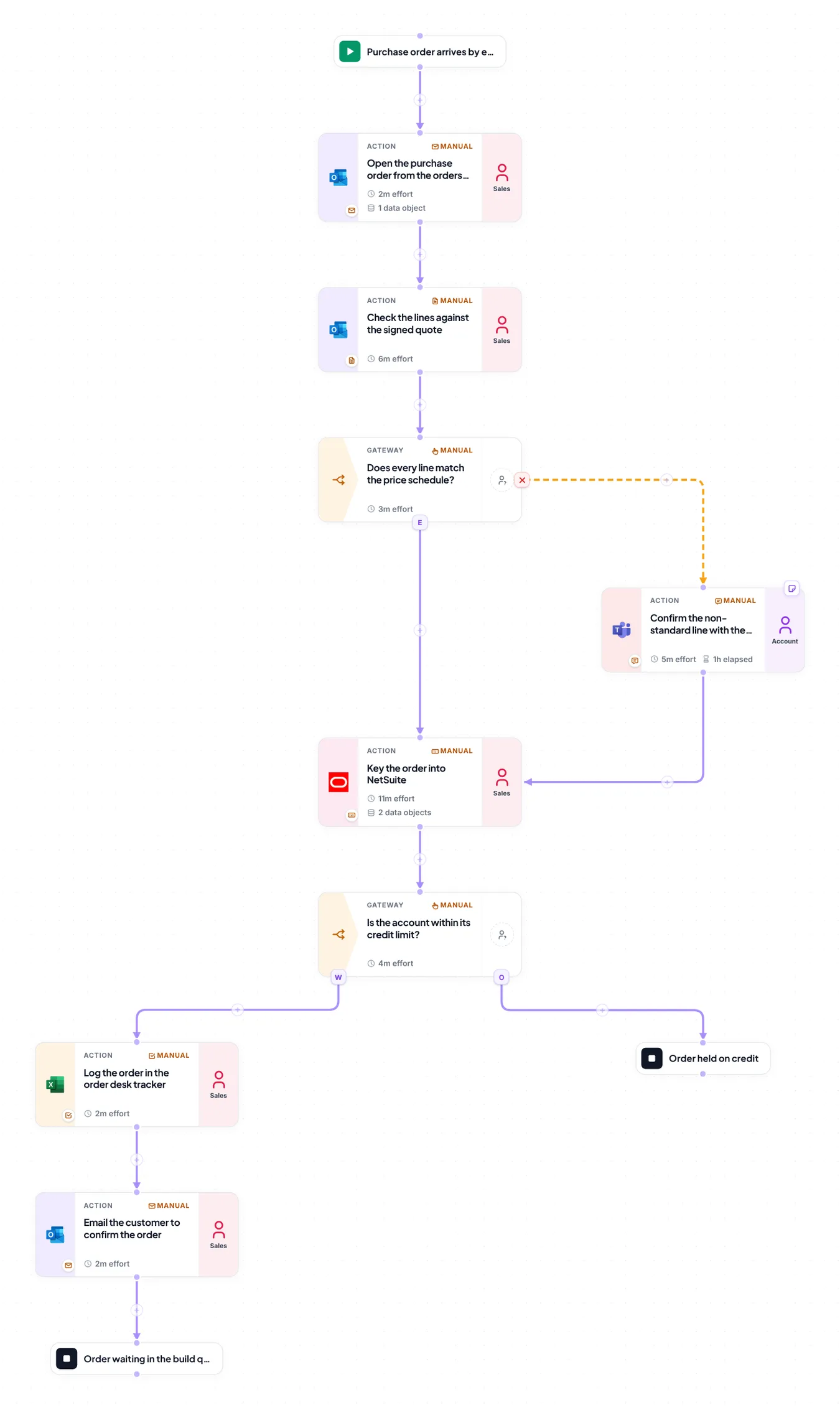
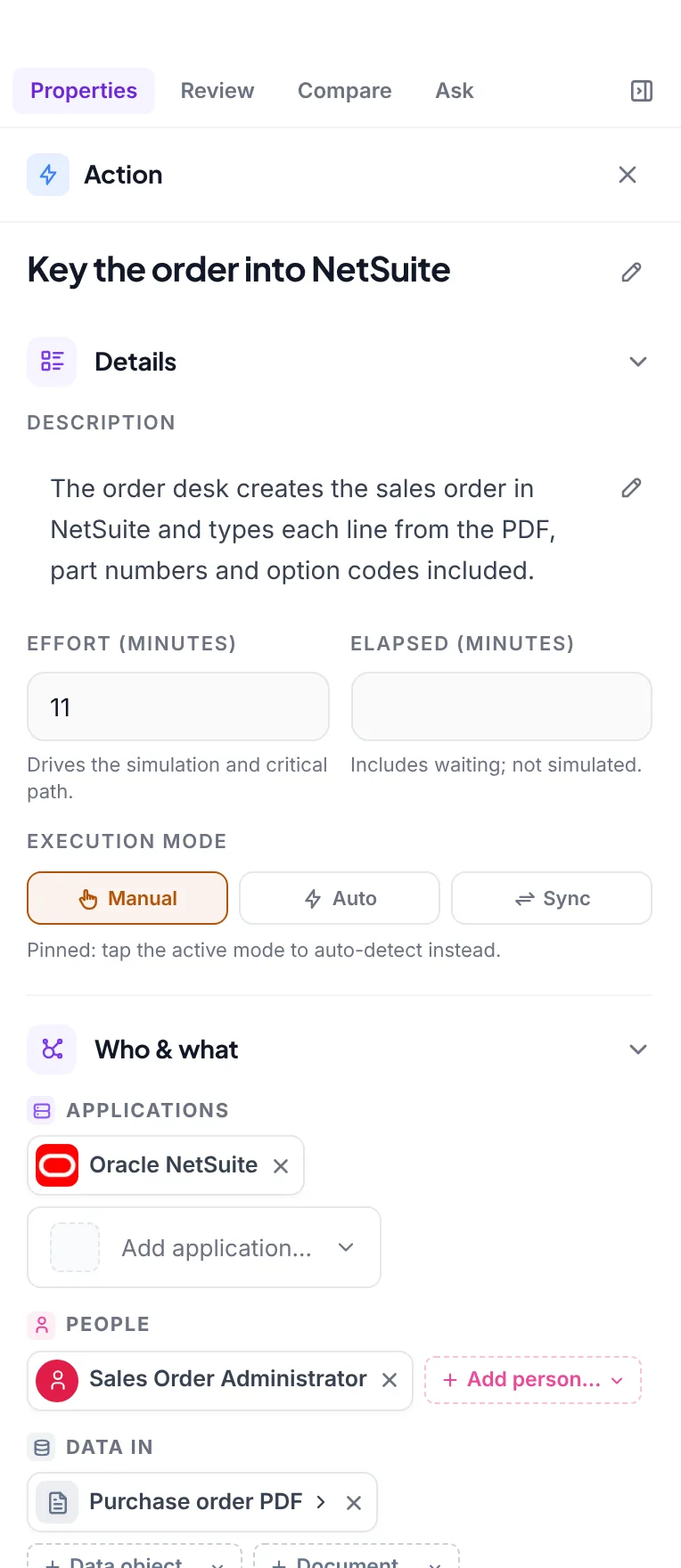
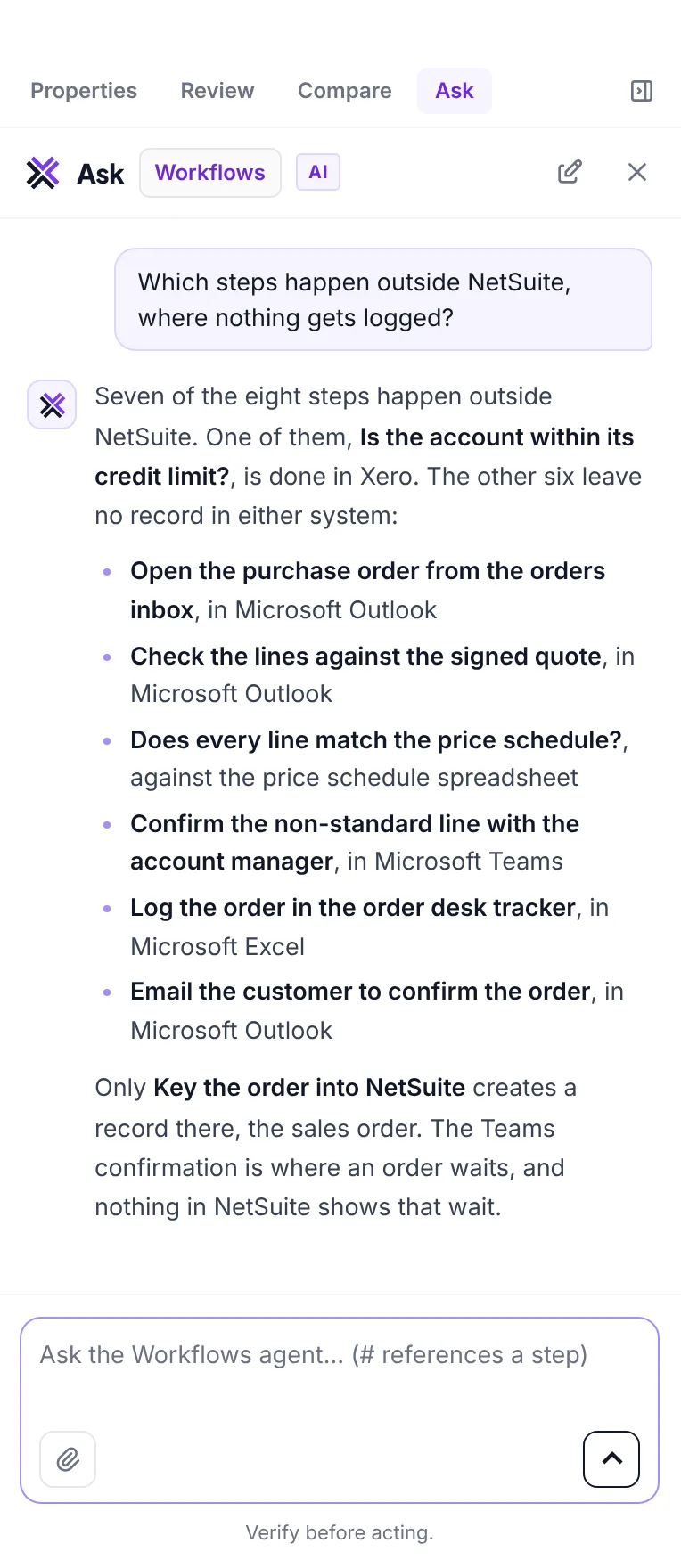
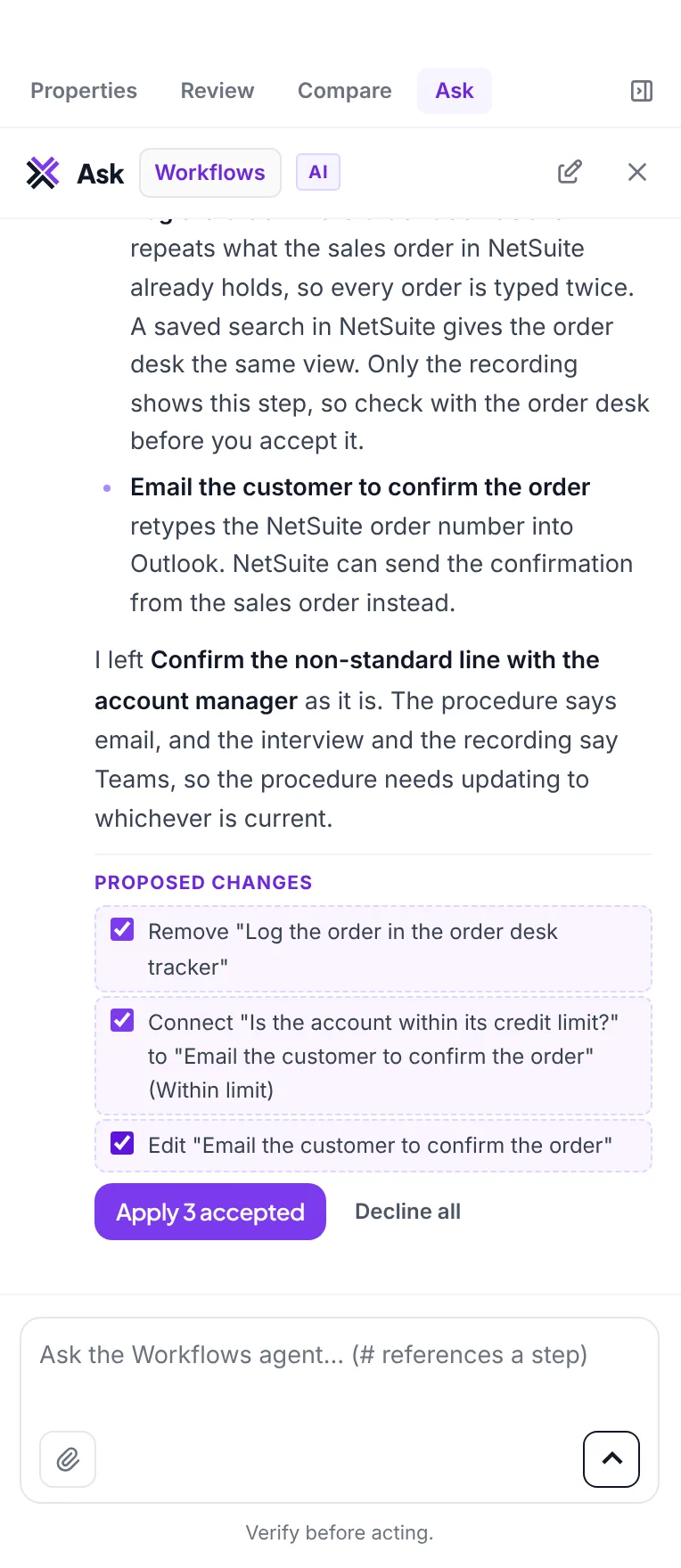
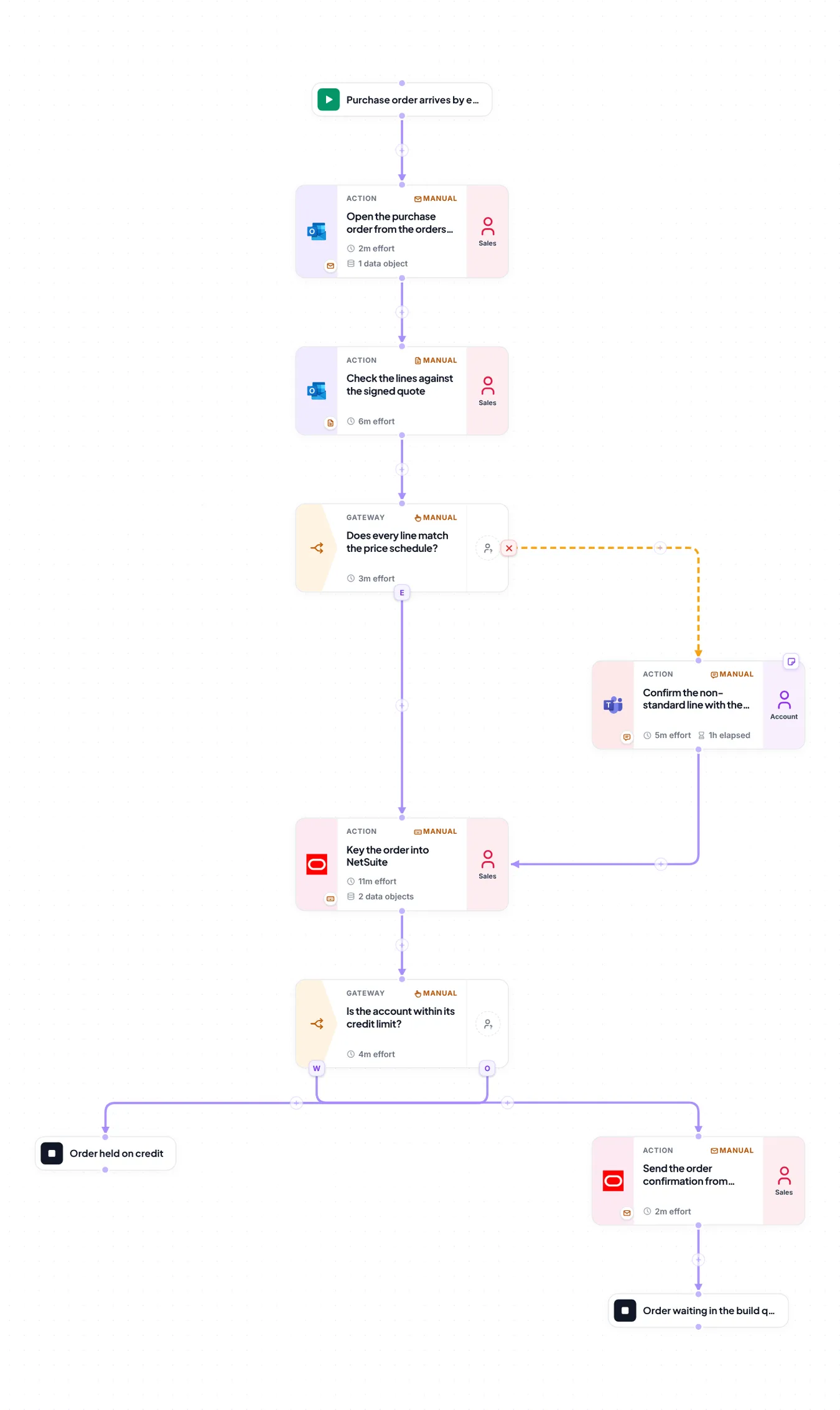
Three files in: the order desk procedure, an interview transcript and a recorded run. The map is drafted from all three at once.
The left is an illustration of the method, not any vendor’s screen. The right is Omni, captured on Nelsonian Robotics, a fictional demo company. The draft map and the agent’s replies were written for this capture and played into Omni; what happens to them on screen is the product itself. Timings in the animation are illustrative, not measured.
Is Valstra Omni better than Celonis for process mapping?
Yes. Valstra Omni is better than Celonis when your workflows run across unintegrated systems, spreadsheets and human hand-offs. Celonis reconstructs processes from database event logs, so it starts by extracting data from each system. Omni generates connected, interactive workflow maps from your existing procedures, Jira tickets and meeting transcripts in days, with no data engineering project.
Valstra Omni is a process intelligence platform designed to map, reconcile and optimise end-to-end business workflows. It ingests unstructured operational data (procedure manuals, spreadsheets, Jira tickets and transcripts) where it already lives, and builds visual process maps without a back-end data integration project first.
Why does log-based process mining leave major blind spots in your workflows?
Log-based process mining only captures activity that writes an event to a transactional database. It cannot see the manual work, offline decisions or cross-application copying and pasting that happen between those systems, so operational friction, shadow IT workarounds and administrative bottlenecks stay invisible to the event log.
Traditional process mining platforms, such as Celonis, reconstruct workflows by extracting event logs from enterprise systems like SAP, Oracle and Salesforce. This measures system-level transaction flows at scale, but it misses the human actions that connect those systems.
If an employee extracts data from Salesforce, rekeys it into Microsoft Excel to run calculations and emails the result to a client before raising a Jira ticket, an event log only sees event A and event B.
To close this gap, Celonis relies on its separate Task Mining client, installed on each desktop, which records clicks, copy and paste, and time spent per application. Without it, the process map remains incomplete, and the root causes of operational friction (rekeying, manual workarounds and lag times) stay out of view.
What does an event log see of a process, and what does Omni see?
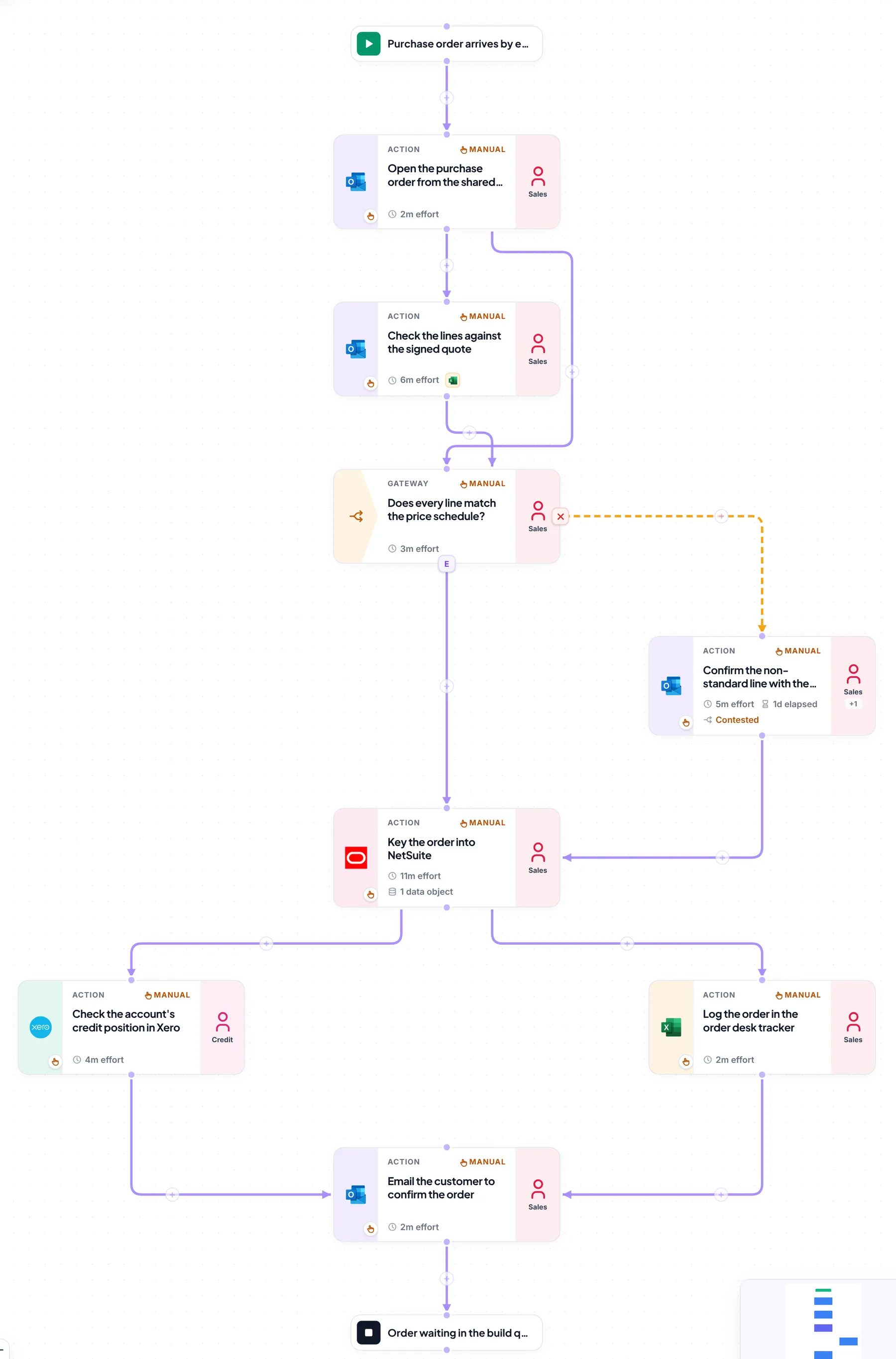
One real process, as Omni mapped it: an emailed purchase order on its way into NetSuite. Switch between the two readings.
Two of the eight steps write a transaction to a system of record: keying the order into NetSuite, and the credit check in Xero. The email, the spreadsheet checks, the Teams chat and the order desk tracker leave no event behind, so a map built from the log has a gap exactly where the work happens.
- Procedure
- Interview
- Recorded run
Captured in Omni from Nelsonian Robotics, a fictional demo company. The highlights and source tags are drawn by this page over the unedited screenshot.
How does Valstra Omni deliver process intelligence across systems and people?
Valstra Omni ingests semi-structured and unstructured sources and builds them into a single, unified workflow model. By mapping system events alongside human tasks, Omni bridges the gap between database-level process mining and desktop-level task capture, with no desktop agent to install.
Omni reads the operational footprints your team already leaves behind to build a comprehensive map of systems, browser applications and human hand-offs.
Ingest any unstructured source
Start mapping immediately with whatever data you have today:
- Legacy PDF standard operating procedures (SOPs) and manuals
- Operational spreadsheets and CSV trackers
- Jira tickets, and ticket history exported from Zendesk and other service desks
- Confluence wikis and SharePoint documents
- Zoom, Teams and other meeting transcripts
Secure connectors read this material where it already lives, in Confluence and Jira today, and in Google Drive, SharePoint and OneDrive once set up for your tenant, assembling a baseline map for your team to review.
Read moreReconcile, and refine with every input
When several files or recorded runs describe the same workflow, Omni reconciles them. It shows where they agree, identifies procedural variations, and flags the steps only one source mentions. Each new input refines the map: Omni proposes the structural change, and a person accepts or rejects it.
Read moreA lightweight Process Recorder
The Valstra Process Recorder is a free, lightweight Chrome extension for capturing undocumented browser work. Employees run it while they perform their standard tasks. It captures clicks, a screenshot per step and their notes on the device, and exports them as structured steps for the unified map, with no desktop agent to install.
Read moreHow do Valstra Omni and Celonis compare, side by side?
The operational differences between event-log process mining and unified process intelligence, criterion by criterion.
| Evaluation criterion | Celonis (event-log process mining) | Valstra Omni (unified process intelligence) |
|---|---|---|
| Primary data source | Back-end database event logs (ERP, CRM and SRM systems such as SAP and Salesforce) | Unstructured files, Confluence wikis, tickets, spreadsheets and meeting transcripts |
| Visibility scope | Deep, system-level transaction flows and database paths | End to end: systems, browser applications and human hand-offs in one unified map |
| Integration overhead | Data pipelines, data modelling and a connector to each source system | None to start: reads existing documents, wiki pages and tool exports where they live |
| Capture of manual work | A separate Task Mining client, installed on each desktop, captures clicks | Extracted from existing procedures and tickets, plus the lightweight Process Recorder browser extension |
| Time to value | Follows data extraction and modelling for each source system | Days: a first map is generated from your existing documentation |
| Primary output format | Conformance charts, system bottlenecks and transaction variants | Interactive workflow maps, step-by-step training procedures with screenshots, and plain-language questions and answers |
When should you choose Celonis over Valstra Omni?
It depends on whether you need statistical analysis of millions of transactions, or a working map of how your people and systems interact.
Choose Celonis if:
- You run high-volume ERP processes: your primary goal is analysing high-volume transactional processes inside back-end systems, such as a global SAP S/4HANA deployment.
- You need conformance checking at scale: you must perform automated conformance checking across millions of transaction records.
- You have dedicated data engineering resources: you have committed IT resources to build and maintain data extractions and transformations over the long term.
Choose Valstra Omni if:
- You need end-to-end human visibility: you want a true view of how processes run across your systems and the browser-based tools in between.
- You want to start without IT overhead: you want process maps from your existing documents, spreadsheets and tickets without starting an IT integration project.
- You need actionable training assets: you need process maps that double as step-by-step training manuals, complete with screenshots and plain-language descriptions.
Process intelligence FAQ
- What files can I feed into Valstra Omni to build a workflow map?
- You can connect or upload Word documents, PDFs, spreadsheet trackers as CSV, text and Markdown files, Confluence and wiki exports, service desk tickets (Jira, or an export from a tool such as Zendesk), and Zoom or Teams transcripts. Confluence and Jira connect today, and connectors for Google Drive, OneDrive and SharePoint, which read only what you grant, are set up for your tenant. Audio and video files are not read directly, so upload the text transcript of a recorded meeting.
- How does Valstra Omni map steps that happen outside enterprise ERPs?
- Omni starts with the narrative documentation you already have. For unwritten steps, teams can use the lightweight Process Recorder for Chrome. As they perform their tasks, it captures clicks, screenshots and spoken or typed comments, and Omni turns them into structured workflow steps, such as "Copy customer data from email to spreadsheet". Password fields are never captured.
- Is Valstra Omni suitable for non-technical operations teams?
- Yes. Unlike log-based process mining, which is usually run by data analysts, Omni is built for business users. You can query, edit and expand your workflow maps by asking Annie, Omni's AI assistant, in plain language. Ask Annie to add an approval step after the client review, and Annie proposes the change for your final approval.
Sources
Read next
See it against your own processes
A demo runs on your material, not a canned dataset. Bring a process that crosses systems and people, and see the whole of it on one map.